The Collaborator's Web Client allows you to perform all types of peer review tasks: create reviews as an author, participate in someone else's reviews as a reviewer or observer, inspect the review materials and so forth.
Requirements
In order to use the Collaborator's Web Client, your administrator must first install and configure the server part of Collaborator.
The Web Client supports most actual versions of the following browsers:
| • | Microsoft Edge |
| • | Mozilla Firefox |
| • | Apple Safari |
| • | Google Chrome |
| • | Opera Software Opera |
Other browsers and versions might work to varying degrees.
Opening Web Client
To open the Collaborator's Web Client just start a web browser and navigate to the URL of the Collaborator Server. If you do not know the URL, ask your Collaborator administrator.
If you have not been authenticated, you will be redirected the Log-in Screen. Otherwise, the Home Page will be displayed.
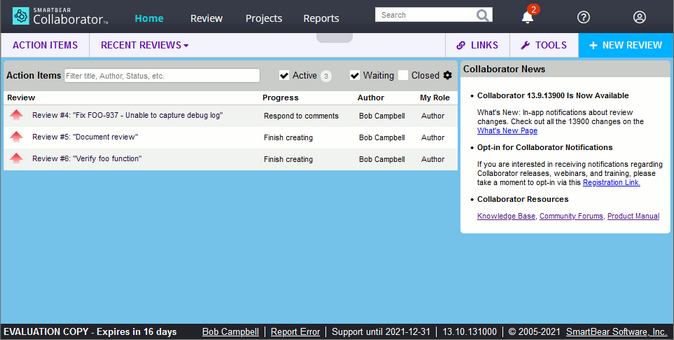
Collaborator Web Client Home Page
From the Home Page you can:
| • | Check your Action Items to see if you have any assigned reviews. |
| • | View detailed information about the review in the Review Summary Screen. |
| • | Create new reviews. |
| • | Manage your user preferences and notifications. |
| • | Read news, release announcements, webinar invitations and other information from the SmartBear. |