Administrators of Collaborator Enterprise servers can add custom company logotypes to server's Web interface. Namely, they can enable logos on Login, Home and Review Summary screens.
Note: Ability to display your company logos on Login and Home screens is only supported in Collaborator Enterprise. For a complete list of differences between Collaborator editions, please see the comparison page.
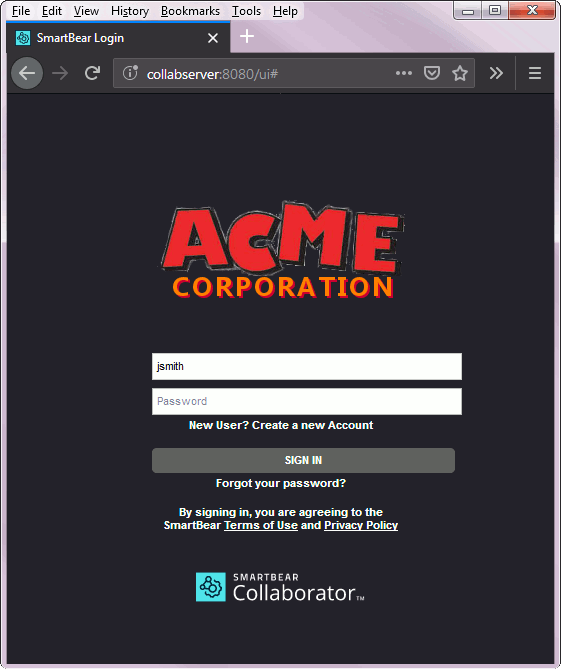 Login screen with customized logo |
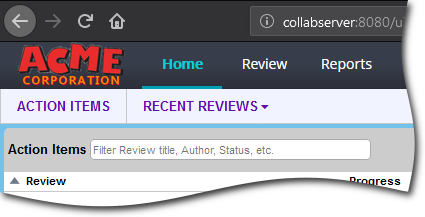 Home screen with customized logo |
Preparing Company Logos
Collaborator uses two image files for displaying your company logo: one for the Login screen and another for Home and Review Summary screens. You may have a separate image for each screen, or use the same image file for both screens.
The company logo images must be in PNG format. Transparent background is recommended. Image resolution is not limited. Large images will be resized to fit into 640x480 area on Login screen and into 250x50 area on Home and Review Summary screens.
Technical Details
Custom logo files are stored in the logos sub-folder of server's content storage (installation-directory/tomcat/collaborator-content-cache/logos). Thus, they will be retained when backing up/migrating your server together with content storage.
Login Screen Branding
To display custom logo on Login screen
| 1. | Open System category of administrator settings, |
| 2. | Switch to the Display tab, |
| 3. | Enable the Company Logo on Login setting, |
| 4. | Click the placeholder/current logo and upload image with your company logo. |
| 5. | Click Save button to apply the changes. |
Home Screen Branding
To display custom logo on Home and Review Summary screens:
| 1. | Open System category of administrator settings, |
| 2. | Switch to the Display tab, |
| 3. | Enable the Company Logo on Home setting, |
| 4. | Click the placeholder/current logo and upload image with your company logo. |
| 5. | Click Save button to apply the changes. |