|
When you click some review in the Collaborator View it opens in the Review Summary screen. This window is analogous to the Review Summary Screen of Web Client.
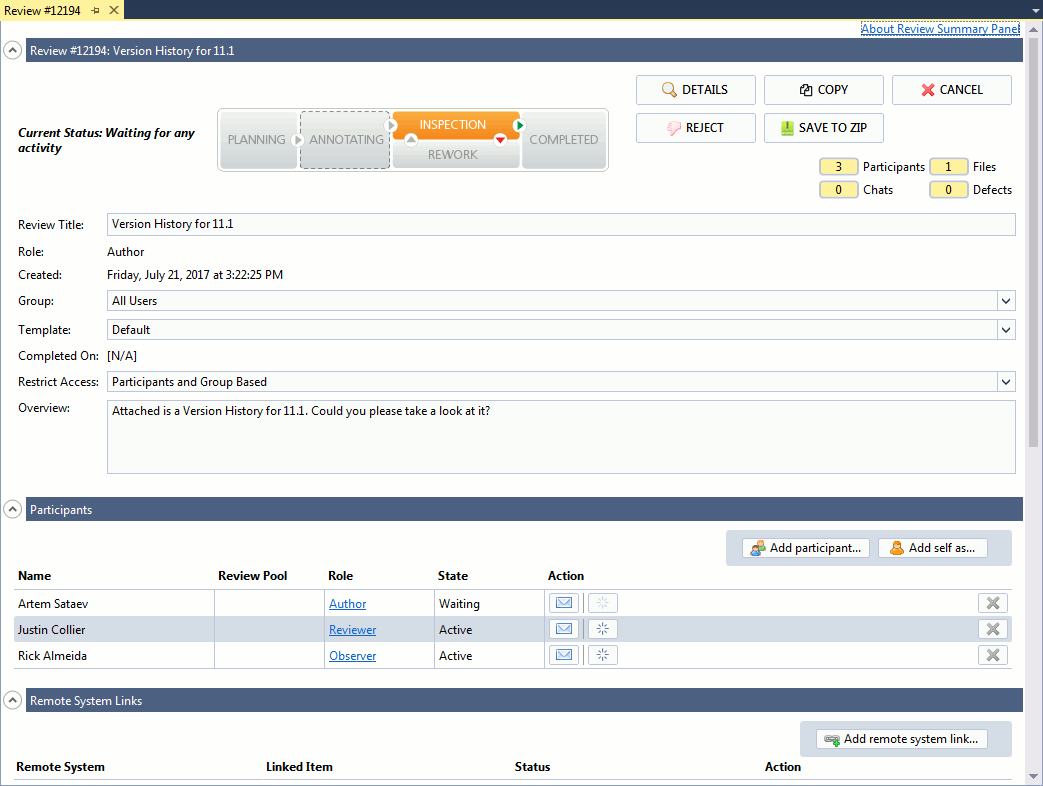
You will use the Review Summary Screen during the entire process of code review: creating new reviews, participating in other reviews, correcting found defects.
This screen allows you to --
| • | Modify general information about the review. |
| • | Reject, cancel, copy, archive your reviews. |
| • | Add or remove participants. |
| • | Send e-mail and poke notifications to participants. |
| • | Check linked remote system items and add new remote system links. |
| • | Communicate with other participants. |
| • | View and upload materials for the review. |
| • | Start, annotate, approve the review or wait until certain specified activity occur. |
|