Clicking on a file in the Review Summary Screen opens it in a Code Viewer or in a Diff Viewer.
Important: Collaborator Visual Studio extension is designed to perform code reviews, rather than document reviews. That is, from the Visual Studio IDE you can review and compare source code and text files, but may fail to review and compare other types of review materials. To review Word documents, Excel tables, PDF files, images, or URLs you should use the Collaborator Web Client.
If a review has only one revision of the desired file, it will be opened in a Code Viewer (standard code editor of Visual Studio in read-only mode).
If a review has several revisions of the desired file, it will be opened in a Diff Viewer (standard Diff Window of Visual Studio).
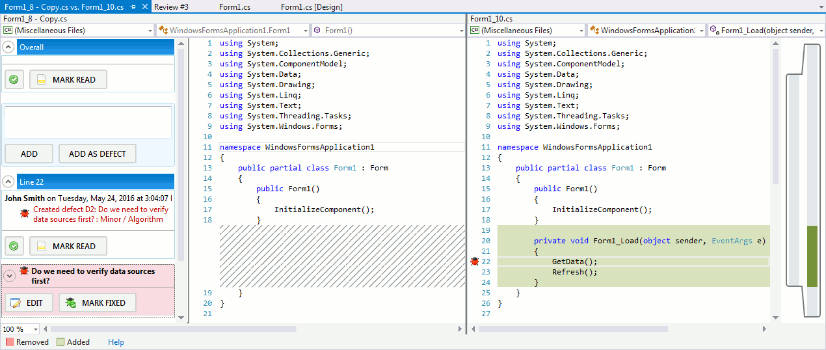
Two revisions of a file in a Diff Viewer
In the Diff Window, the most recent revision is displayed on the right pane and the previous revision is displayed in the left pane. New text is highlighted in green and removed text is highlighted in red.
The comment icon ( ) in the viewer's gutter indicates that a line has some comments related to it. The defect icon (
 ) indicates that a line has some defects related to it. Click the icon to navigate to the corresponding comment or defect.
On the left side of a Code Viewer and Diff Viewer, a Conversation Pane is displayed. It lists the comments and defects that were created for the file being displayed. You can read the conversation, reply to and/or argue with other participants, mark the defects as fixed and so on.
Comments and defects may relate to the entire file (these are called overall comments and defects) as well to a particular line of code (these are called line comments and defects).
To create an overall comment:
| 1. | Specify your message in the Overall section of the Conversation pane |
| 2. | Press Add. |
To create an overall defect:
| 1. | Specify your message in the Overall section of the Conversation pane. |
| 2. | Press Add as Defect and specify defect type and severity. |
To create a line comment:
| 1. | Right-click the desired line and choose Collaborator | Add Comment from the context menu. |
| 2. | Specify your message in the subsequent dialog and press Add comment. |
To create a line defect:
| 1. | Right-click the desired line and choose Collaborator | Add Defect from the context menu. |
| 2. | Specify your message, defect type and severity in the subsequent dialog and press Add defect. |
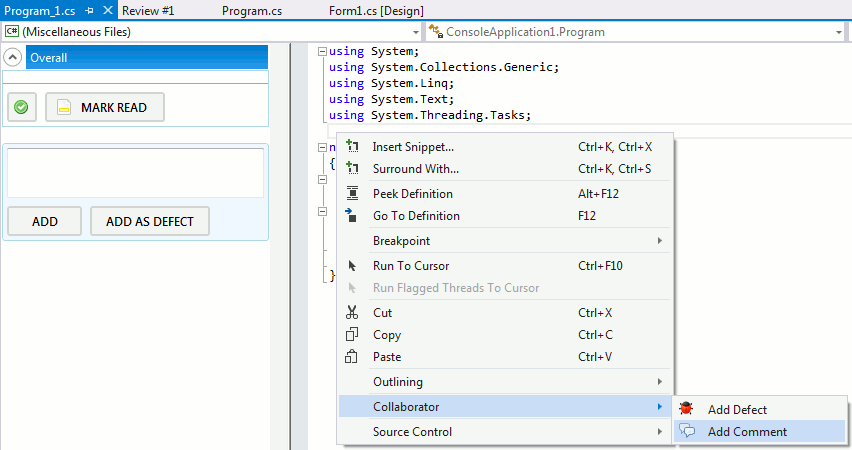
Creating line comments and defects
Depending on the Group conversations by lines setting, the Conversation Pane may display all defects and comments simultaneously or group comments and defects that relate to the same line. In the latter layout, you may use combobox and buttons to navigate between conversations that relate to different lines.
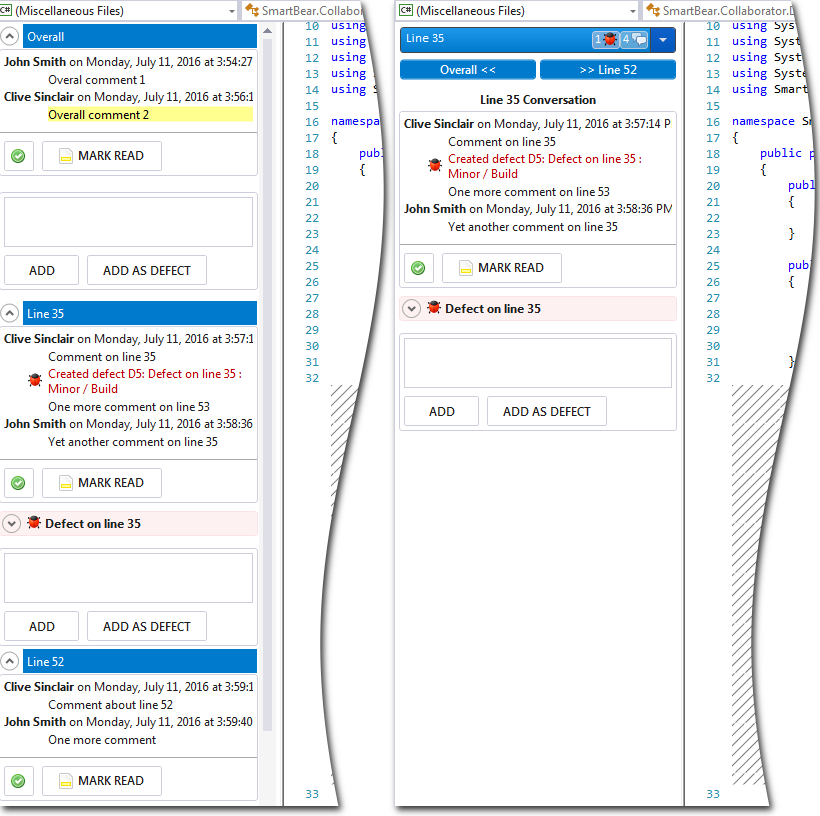
Conversation pane: "Standard" and "Group by lines" layouts