The SCM Configuration dialog has several Perforce-specific options. These can be set as necessary to override Perforce options derived from the environment.
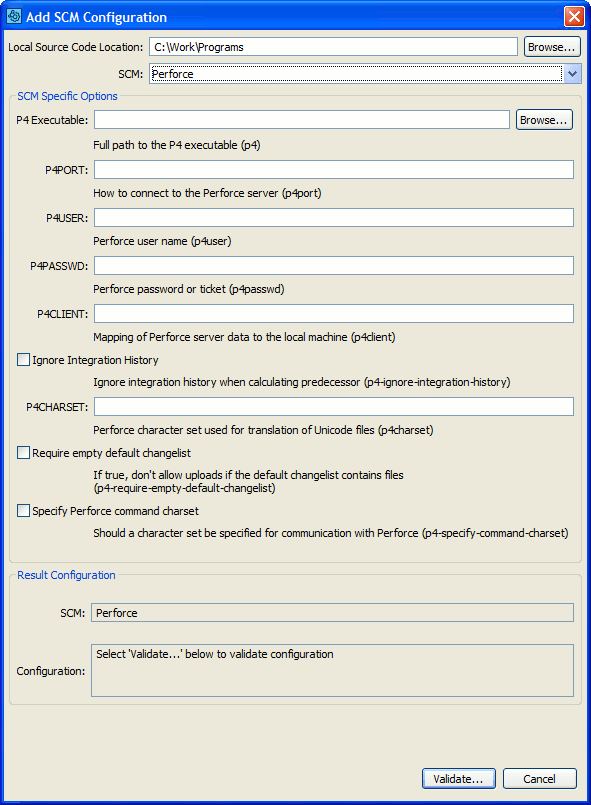
Perforce SCM Configuration
Selecting a Perforce SCM Configuration in the GUI Client main screen causes several Add to Review buttons to appear. The Add Pending Changelists... button uploads numbered, pending changelists. The Add Submitted Changelists... button uploads submitted changelists. The Add Perforce Diffs... button uploads arbitrary diffs, compares files in a Branch, or compares the difference between two Labels or dates.
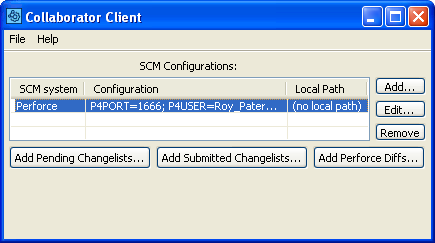
Uploading Perforce files to a Review
Add Perforce Pending Changelists
Press the Add Perforce Pending Changelists... button to upload the files in a Perforce pending changelist to the Collaborator Server for review. You cannot upload the default changelist.
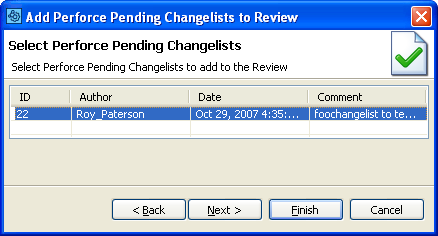
Add Perforce Pending Changelists
Add Perforce Submitted Changelists
Press the Add Perforce Submitted Changelists... button to upload the files in a Perforce submitted changelist to the Collaborator Server for review.
Select whether to display all available changelists, input ID's of particular changelists, list changelists within a specified range or within a specified date interval and press List changes. Filter will return 100 newest changelists for ID and date range requests. Then select the desired changelists in the table below and press Next to proceed.
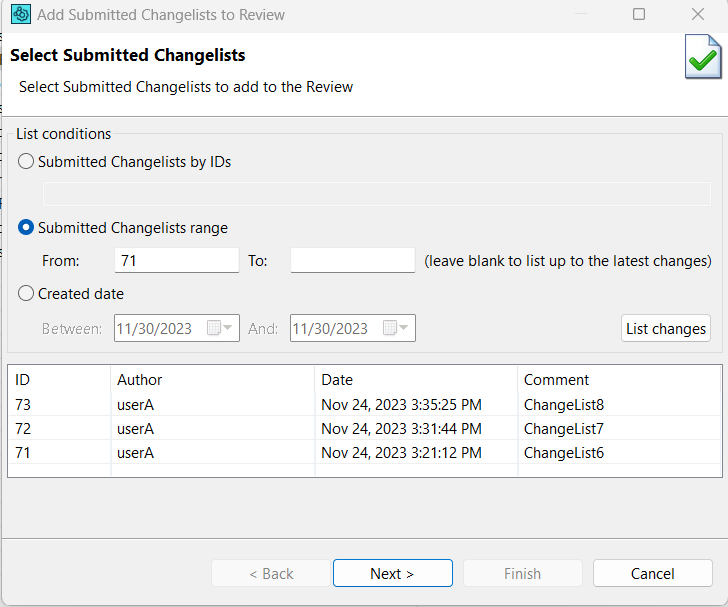
Add Perforce Submitted Changelists
Press the Add Perforce Diffs... button to upload arbitrary Perforce diffs to the Collaborator Server for review.
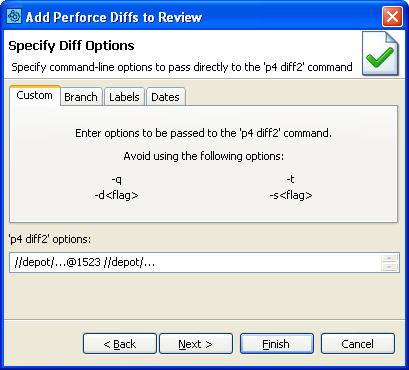
Add Perforce Diffs
You can enter arbitrary Perforce diff options, compare files in a Branch, or compare the difference between two Labels or dates.