Git Configuration in GUI Client
| 1. | Start GUI Client. |
| 2. | Click Add to create a new SCM configuration. |
| 3. | In the subsequent SCM Configuration dialog dialog, specify the local source code location. For Git, this is not optional. |
| 4. | Select Git in the SCM drop-down list. |
| 5. | Several options will become available. These are specifically tailored to configure Git integration. |
Option |
Description |
Git Executable |
A full path referring the Git command line client (git.exe). |
Skip index |
Defines whether the changes you upload via the "Add Changes" command should be taken from the working tree (including not-yet-committed changes) instead of from the index. This is an analogue of the git commit -a command. |
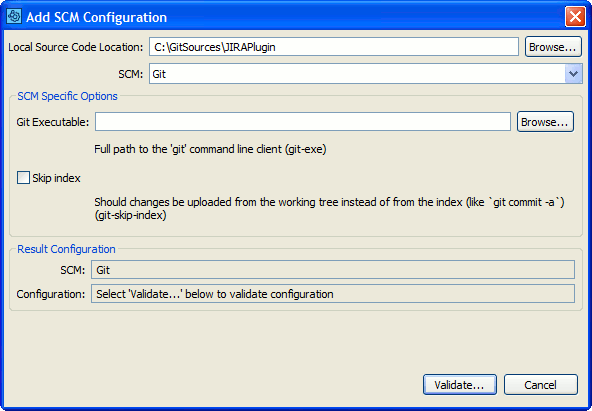
Configure client to work with Git
| 6. | Once ready, click Validate to make sure the integration is operational. |
After that, a new configuration for Git will appear on the main screen of the GUI Client.
Selecting a Git SCM Configuration in the GUI Client main screen causes Add to Review buttons to appear.
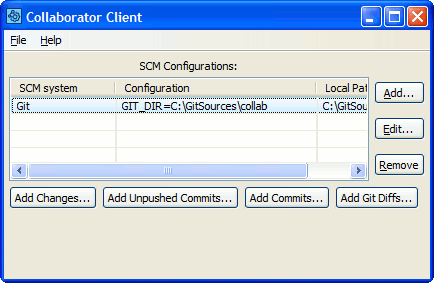
Uploading Git files to a review
Selecting Add Changes... allows you to upload the modifications that are currently in the index. These are the modifications that would be committed if you typed 'git commit' from a command line.
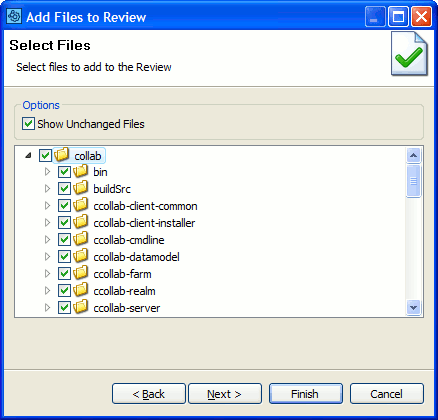
Add Changes
Selecting Add Unpushed Commits... selects all commits in your local branch that have not been pushed to its tracking branch. NOTE: This assumes that you have set up branch tracking in Git. If you see an error when running Add Unpushed Commits... (like, "Error initializing local changelists") make sure that your current branch has a tracking branch set. You can set this up, initially by running "git config branch.autosetupmerge always". You can set this up on an existing branch by running "git branch --set-upstream name-of-branch name-of-upstream".
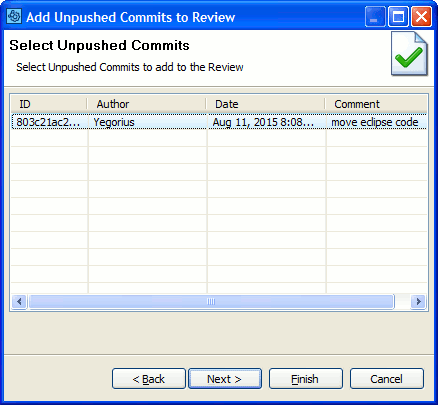
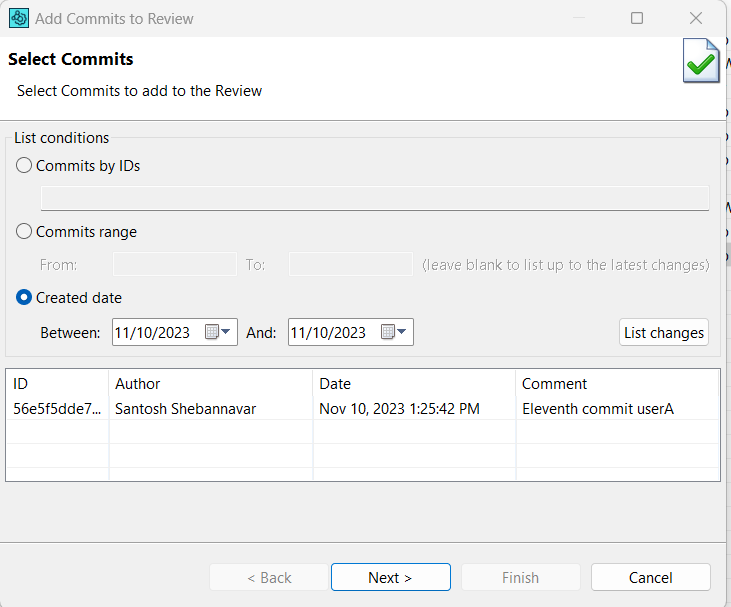
Selecting Add Commits... allows you to upload commits, whether they have been pushed or not. You can add a specific commit by adding the commit ID and clicking "Add":
Select whether to display all available Commits, input ID's of particular Commits, list Commits within a specified range or within a specified date interval and press List changes. Filter will return 100 newest Commits for ID and date range requests. Then select the desired Commits in the table below and press Next to proceed.
Press the Add Git Diffs... button to upload arbitrary Git diffs to the Collaborator Server for review.
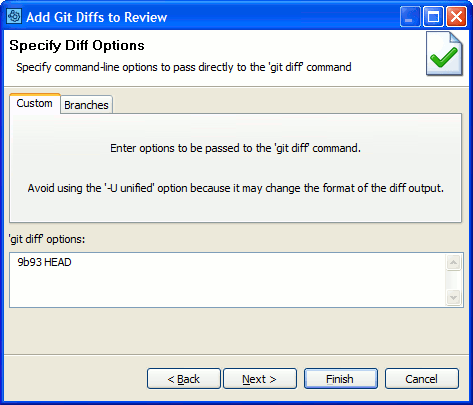
Upload arbitrary Git diffs
Press the Add Git Diffs... button and then click on the Branches tab to upload the differences between two branches to a review. Specify the branches by selecting from the before and after dropdown menus.
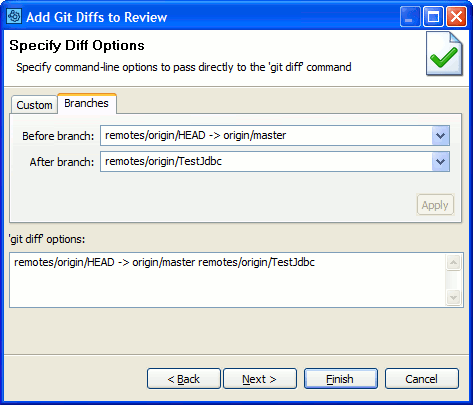
Upload the difference between two branches