|
Overview
Collaborator can associate a differently named file with a file that is already under review. That is, you can have different file names for the same document. For example, you can upload a file named - my_file1.doc and then upload its revised version as my_file2.doc, or as my_file_Johns_version.doc, or whatever other name.
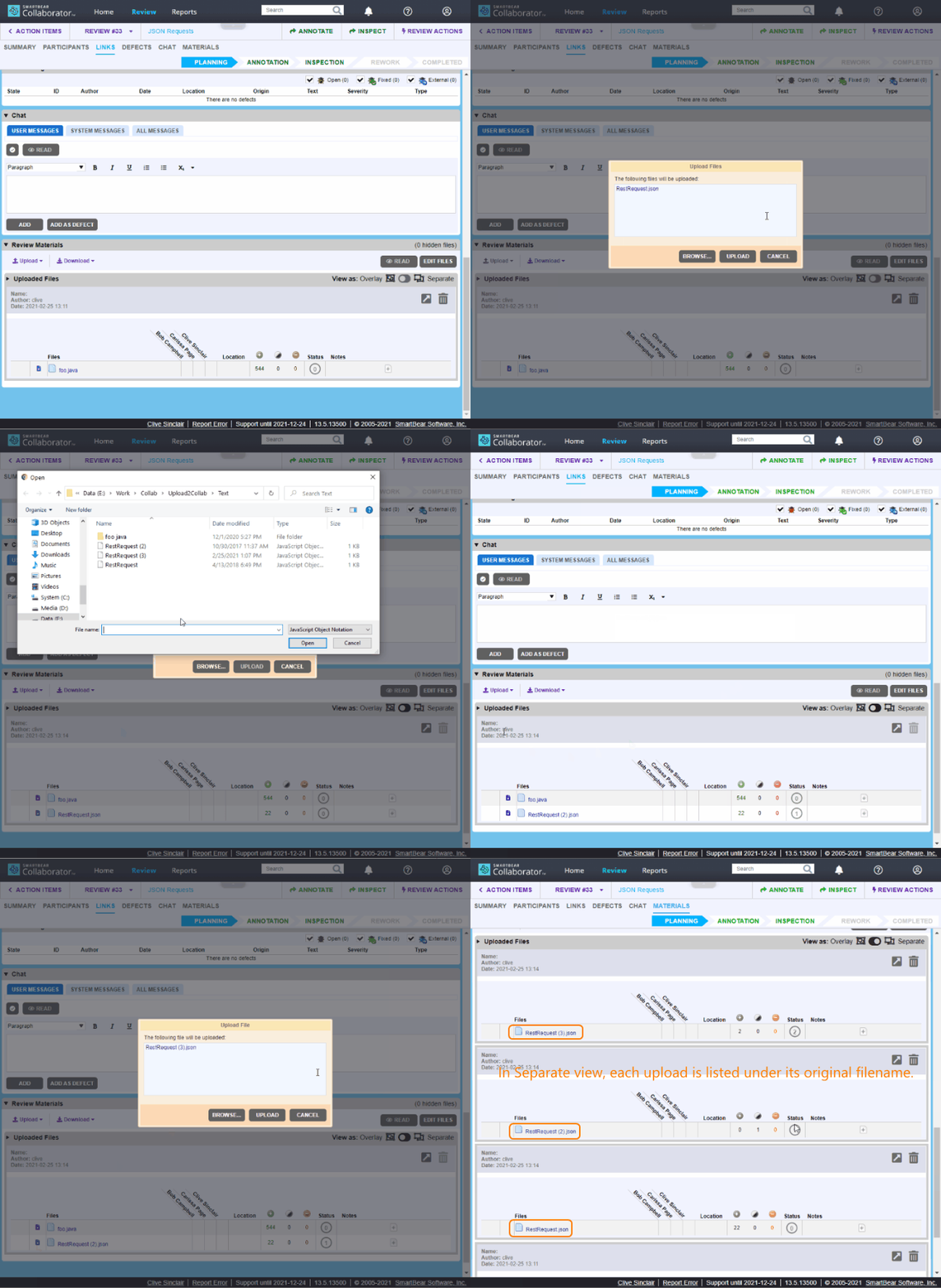
Collaborator would process such files as subsequent revisions of the same file (will render differences in Diff Viewer, promote comments and defects, calculate metrics and so forth).
 This feature is intended for manually uploaded files only, it is not available for files uploaded via source control systems. This feature is intended for manually uploaded files only, it is not available for files uploaded via source control systems.
How to upload a new revision under a different file name
| 3. | Enable the  Overlay view option. Overlay view option. |
| 4. | Locate the desired file in the list and click  Upload new version. Upload new version.
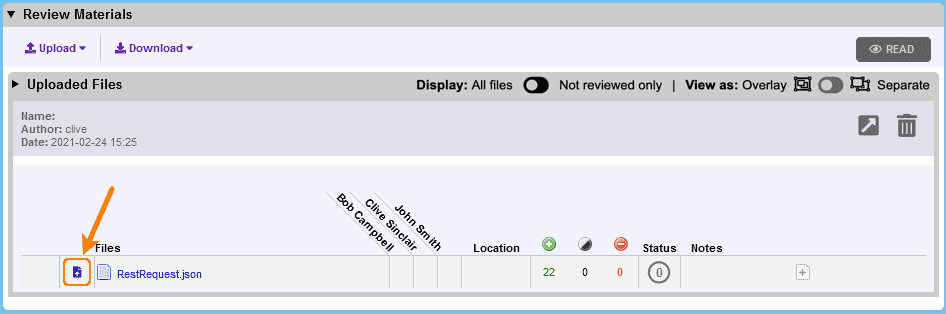 Uploading new revision |
| 5. | In the subsequent Open File dialog, select the new file revision and click Open, then click Upload. |
Technical details and limitations
| • | This feature is intended for manually uploaded files only, it is not available for files uploaded via source control systems. |
| • | New revision can have arbitrary name, but it should be of the same file type (extension) as the original file. |
| • | The Upload new version button is only available in Overlay view. |
| • | In Overlay view, file is listed under its latest file name. |
| • | In  Separate view, each upload is listed under its original file name. Separate view, each upload is listed under its original file name. |
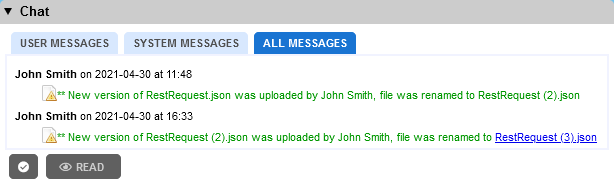
| • | The history of file renames is displayed in the review's Chat section.
 |
| • | Collaborator supports chain renames: that is uploading of several files with different names as subsequent revisions of the same file. For example, foo-v1, renamed to foo-v2, then renamed to foo-v3 and so forth. |
| • | Collaborator will not allow uploading a file as new revision if a file with the same file name was already uploaded to the current review (either as current or as previous revision). That is, you cannot upload two my_file1.doc files to the same review. |
|