The SCM Configuration dialog has several CVS-specific options.
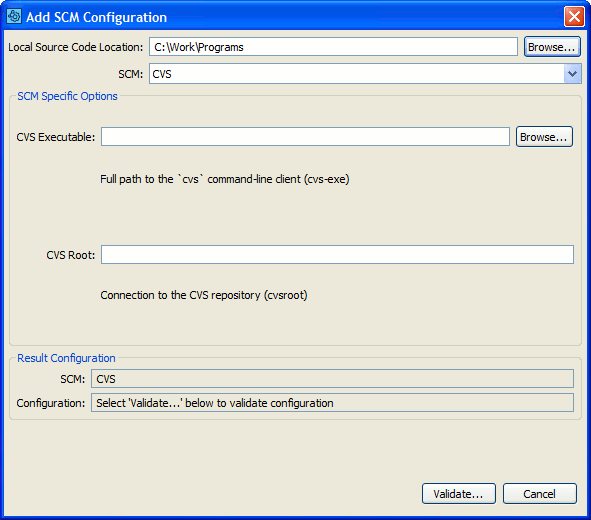
CVS SCM Configuration
Selecting a CVS SCM Configuration in the GUI Client main screen causes several Add to Review buttons to appear. The Add Changes... button uploads modified files in a CVS checkout. The Add CVS Diffs... button uploads arbitrary diffs, or compares the difference between two Labels or dates.
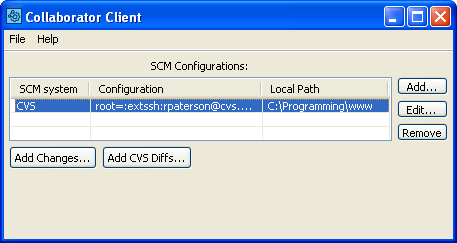
Uploading CVS files to a Review
Press the Add Changes... button to upload modified files in a CVS checkout to the Collaborator Server for review.
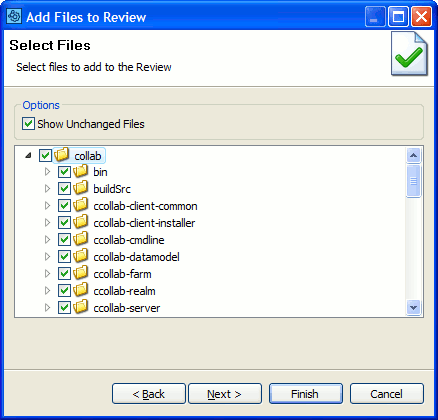
Add Changes
Press the Add CVS Diffs... button to upload arbitrary CVS diffs to the Collaborator Server for review.
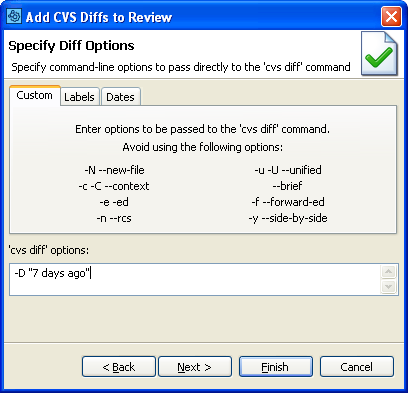
Add CVS Diffs
You can enter arbitrary CVS diff options, or compare the difference between two Labels or dates.