The Preferences menu will allow you to change the settings for:
| • | Server Connection |
| • | External Diff Viewer Launcher |
| • | Miscellaneous |
To view preferences, click on File -> Preferences in the main screen of the GUI Client:
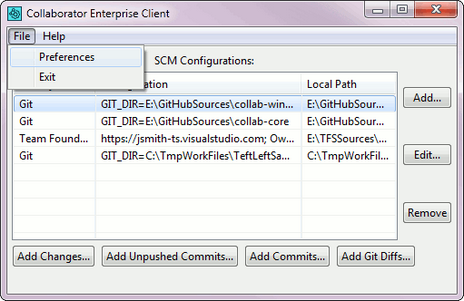
You can also view the Preferences menu via the Context Menu of the Tray Notifier.
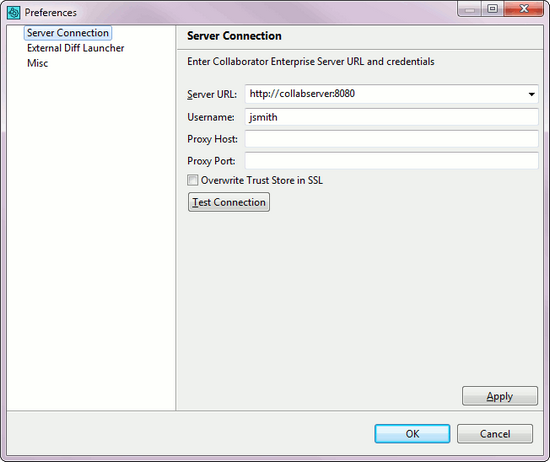
Here you can configure the client connection to the server. See Server Connection Configuration.
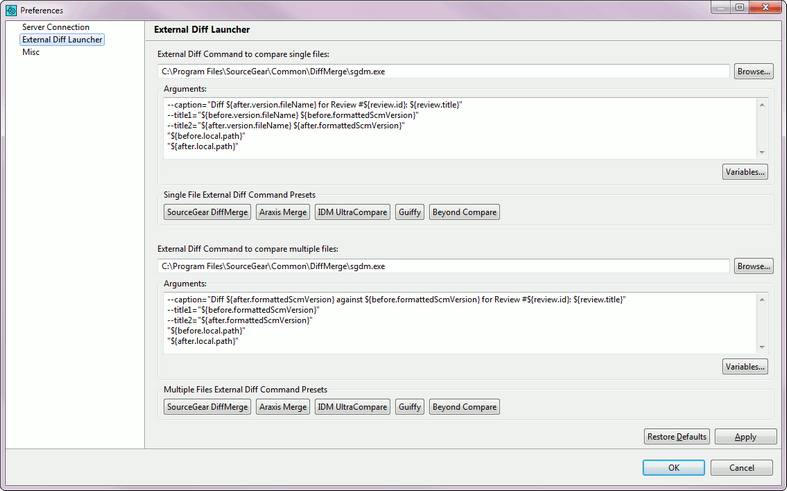
Here you can configure settings for the External Diff Viewer Launcher. This is a helper utility that allows comparing review materials in any third-party diff viewer instead of Web Client's diff viewer.
There are two separate External Diff Command settings, one for comparing two versions of a single file, and one for comparing multiple files (two directory trees).
The External Diff Command field contains the absolute path to the executable the External Diff Viewer Launcher will launch.
The Arguments field contains arguments passed to the executable. Certain variables specified in the Argument field are substituted when the external diff command is invoked. Click the Variables button to view the list of available variables and their descriptions.
External Diff Viewer Launcher can work with almost any third-party diff viewer, and has presets for 5 most popular diff viewers: SourceGear DiffMerge, Araxis Merge, IDM UltraCompare, Guiffy, and Beyond Compare.
To use one of the presets, just click the appropriate button (for example, Guiffy) under External Diff Command Presets.
Miscellaneous
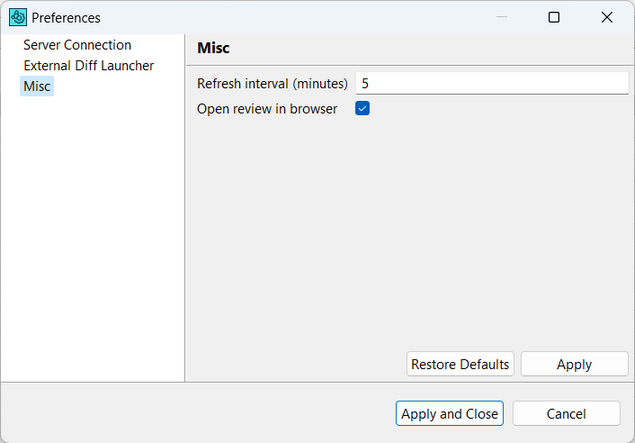
In the Miscellaneous tab, you can change the following settings:
| • | Refresh interval(minutes) determines how often to check Collaborator server for updates. |
| • | Open review in browser allows to configure if you want to open a review in Web-browser automatically when files/commits are uploaded. |