The Collaborator server can be configured to communicate directly with your Subversion server. This allows users to review committed revisions completely from the browser, without having to install any client programs. To enable this feature, first install and configure a Subversion client on the Collaborator server and then create an entry for your Subversion server in the Version Control tab of the administration interface. Version control server entries are also created automatically if one of the client programs uploads files from a server that does not match any of the currently configured servers.
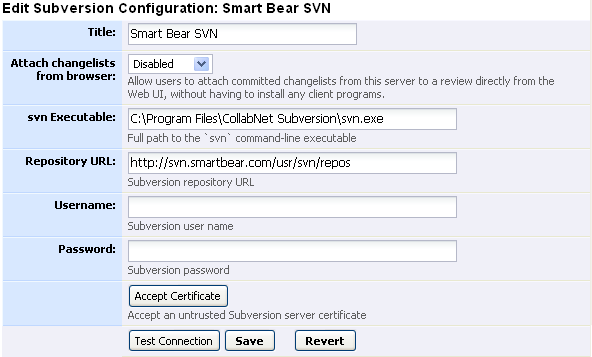
The title is displayed to users, so it should be something that everyone will understand, even if they are going through proxies, VPNs, or other such things. When a version control server entry is created automatically, this is filled in with the URL the client used to connect to the Subversion server. |
|
If enabled, this feature lets users select committed revisions to review directly from the web browser, without having to install any client programs. |
|
Full path to the 'svn' executable |
|
Subversion repository URL. When a version control server entry is created automatically, this is filled in with the URL the client used to connect to the Subversion server. |
|
Subversion user name |
|
Subversion password |
Click the Test Connection to make sure Collaborator can contact your Subversion server. If you get an "untrusted certificate authority" error, this is probably because your Subversion server is using a self-signed certificate. You can click Accept Certificate to tell Collaborator to permanently accept the certificate.
You can supply Java-style regular expressions to map changelists uploaded from our client tools to this Subversion server. It is important to set up these regular expressions so that files uploaded by the various Collaborator client tools are correctly associated with this server-side Subversion configuration.

Match on the client's configured repository URL. This is not very reliable because clients may have various network configurations that make the URL look different. It is usually far better to use the Repository UUID Pattern. |
|
Match on the "Repository UUID" returned from running "svn info". This is a unique ID generated by every Subversion repository, and usually works perfectly for identifying uploads to this Subversion server. When a version control server entry is created automatically, this is filled in with the "Repository UUID" obtained from the client. |