General Concept
Single sign-on (SSO) is a user authentication process that permits a user to enter one name and password in order to access multiple applications. The process authenticates the user for all the applications they have been given rights to and eliminates further prompts when they switch applications during a particular session. That is, having entered a login and password once on a central SSO server a user will be automatically logged into other applications, like, issue tracker, source control system, code review system and so on.
Note: Single sign-on authentication is only supported in Collaborator Enterprise. For a complete list of differences between Collaborator editions, please see the comparison page.
Typically Single Sign-On solutions consist of several components - a SSO server and a number of SSO clients. A SSO server is a component that performs authentication, issues and validates tokens and so forth. SSO clients are intermediate components that can be integrated with various software platforms and applications in order to communicate with the SSO server via some authentication protocol. Most SSO solutions also provide Single Logout functionality - that is they allow users to log out from the application and from the SSO server simultaneously.
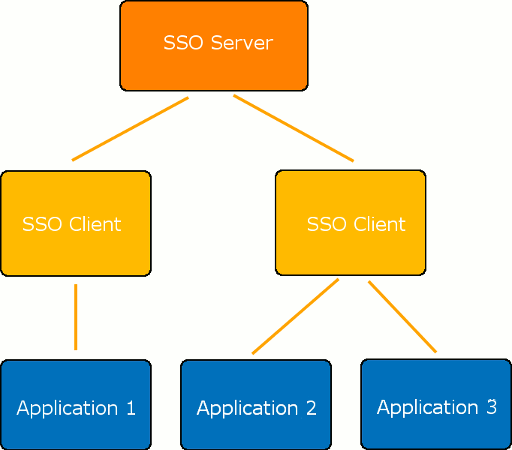
The authentication process will consist of the following steps:
| 1. | A user tries to access a Collaborator server. |
| 2. | Collaborator recognizes that the user is not logged-in and redirects them to the SSO server. |
| 3. | The SSO server authenticates the user, adds some security assertion parameters and redirects back to the Collaborator server. |
| 4. | Collaborator detects the security assertion parameters and logs the user in. |
| 5. | If a user with the specified credentials is not found, Collaborator creates a new user. |
The logout process will consist of the following steps:
| 1. | A user tries to logout from the Collaborator server. |
| 2. | Collaborator sends logout request to the SSO server. |
| 3. | The SSO server logs the user out and sends the response back to the Collaborator server. |
| 4. | Collaborator logs the user out. |
Single Sign-On Implementations in Collaborator
Collaborator supports single sign-on authentication for web client. To use desktop clients (GUI Client, Command-Line Client, Office plug-ins, IDE plug-ins) when single sign-on authentication is enabled, users should generate login tickets and specify them in client connection settings instead of password.
There are several ways to enable single sign-on authentication:
| • | via SAML protocol: If your SSO vendor supports Security Assertion Markup Language (SAML) standard, then you can configure the SSO server and the Collaborator server to use SAML protocol for authentication. Read Configuring SSO via SAML for detailed instructions. |
| • | via Crowd OpenID protocol: If you use Atlassian Crowd server, then you can configure it and the Collaborator server to use OpenID protocol for authentication. Read Configuring SSO via Crowd OpenID for detailed instructions. |