The SCM Configuration dialog has one Mercurial-specific option. The full path to the Mercurial command line executable on your local file system should be specified if it is not already on your system path.
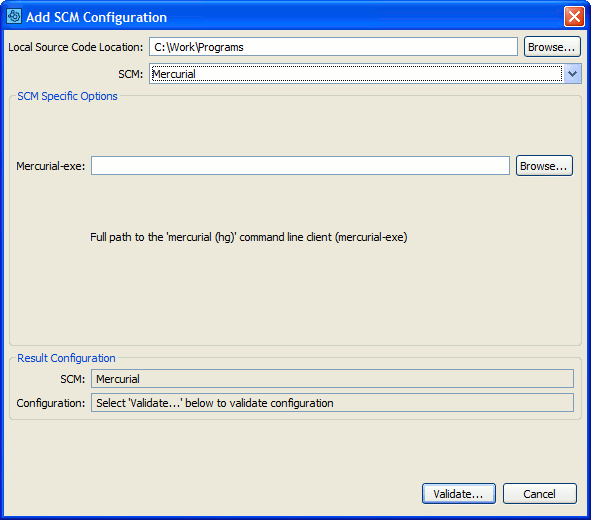
Configure client to work with Mercurial
Selecting a Mercurial SCM Configuration in the GUI Client main screen causes Add to Review buttons to appear.
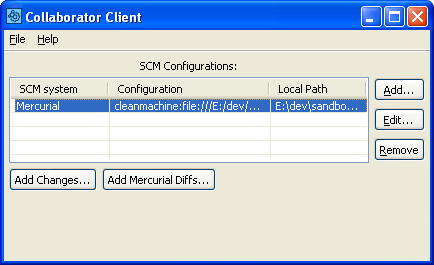
Uploading Mercurial files to a review
The Add Changes... button will be disabled if you have not specified a working copy in the Local Path field of the SCM Configuration dialog. Selecting Add Changes... allows you to upload your local modifications. These are the modifications that would be committed if you typed 'hg commit' from a command line.
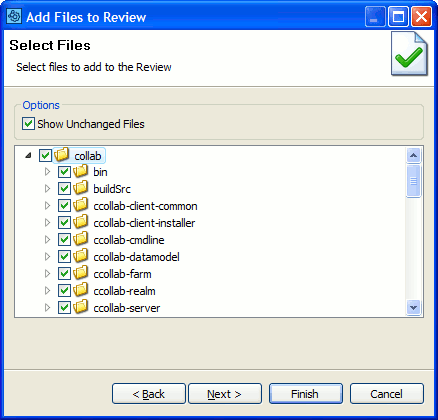
Add Changes
Press the Add Mercurial Diffs... button to upload arbitrary Mercurial diffs to the Collaborator Server for review. Note that if you did not specify a Local Source Code Location in the SCM Configuration dialog, then you will need to provide absolute paths in your diff options.
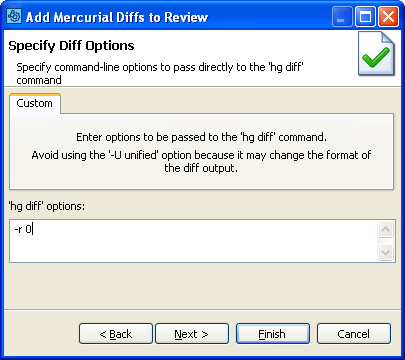
Upload arbitrary Mercurial diffs