Collaborator can execute an external script or application when certain events occur. This is useful when integrating Collaborator with other systems such as issue-tracking, ALM, or builds.
Note: This feature is only supported in Collaborator Enterprise. For a complete list of differences between Collaborator editions, please see the comparison page.
Possible uses of triggers include:
| • | Mirror defects created in Collaborator into an external issue-tracking system. |
| • | Set a flag in a system when a review completes. |
| • | Intercept all notifications sent from Collaborator to log them or to send the notification in a way other than standard email or RSS. |
| • | Send notifications to a mailing list when certain events occur. |
The Triggers section of the Administration page lets you configure the various triggers:
| • | Review Phase Changed - Review phase changed. For instance from "Planning" to "Inspection" or from "Inspection" to "Canceled". |
| • | Defect Activity - A defect was added, modified, or marked open/fixed. Use the defect unique ID to determine the difference. |
| • | User Created - A new user was created. This runs whether or not the creation was automated or manual. |
| • | Role Changed - A participant's role has changed. For instance, a participant was added to a review, removed from a review or promoted from one role to another. |
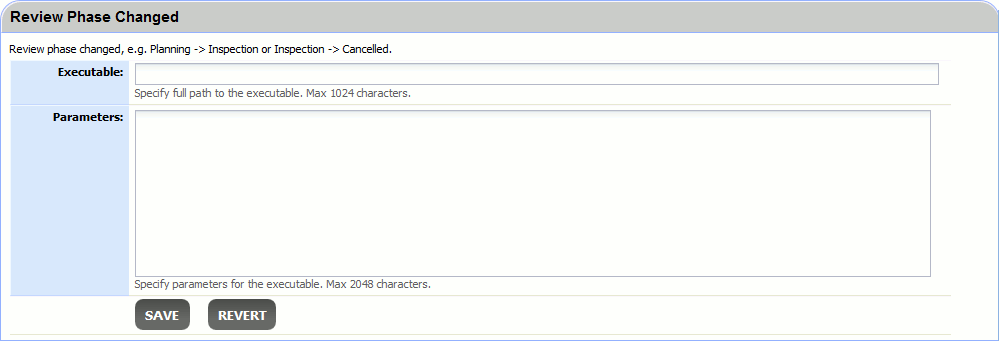
The Executable field specifies the application to run. If this is a script, use the script executable here (for example, Perl, PHP, Python). This must be an absolute path to the application; the form will complain if the file cannot be found or executed. To specify path on Windows, use double slash. For example: C:\\Windows\\System32\\cmd.exe
The Parameters field is a list of arguments to supply to the executable. If this is a script, the absolute path to the script itself is typically the first argument.
The Executable field could be up to 1024 characters long, and the Parameters field could be up to 2048 characters long. However if your character encoding system uses more than 1 byte per character, the file path/parameters could be shorter (to fit into 1024/2048 bytes).
There are many special arguments you can supply that will be replaced by Collaborator when the application is executed. For example, ${review.title} will be replaced by the title of the review associated with the given triggering event. See the Variable Substitution chapter for details.
Please note, that not all of the variables are available at the moment the trigger fires. In this case they will return "Not available" instead of their value. For example, the ${review.title} is not available for the Review Created trigger as the review does not yet has a title when the trigger fires.