If you run across any issues or problems, send the error log along with your question to Support.
To get the error log, go to "Help" -> "About Eclipse".
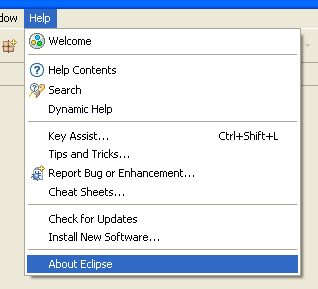
Under the Help menu, click on "About"
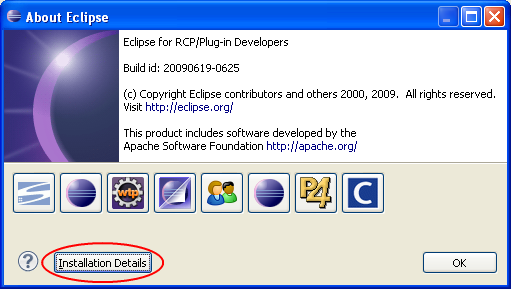
Then, click on "Installation Details".
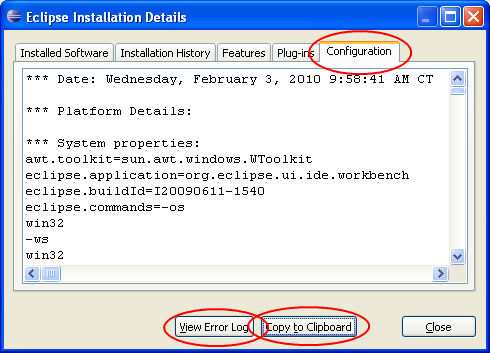
Click the "Configuration" tab. Click the "Copy to Clipboard" button and save it in a file. Then click "View Error log" and save that information in a file as well. Send both files to Support, along with a description of what you were trying to do when you encountered the error.