|
The Collaborator server can be configured to communicate directly with a ClearCase repository. This allows users to review commits completely from the browser, without having to install any client programs.
To enable this feature:
| 1. | Install and configure a ClearCase client on the Collaborator server. |
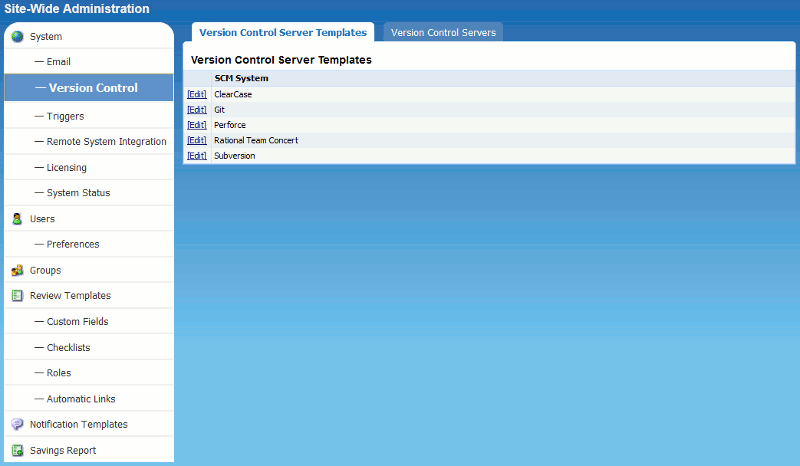
| 2. | In Collaborator, click Admin on the home page and then select Version Control from the menu on the left:
 |
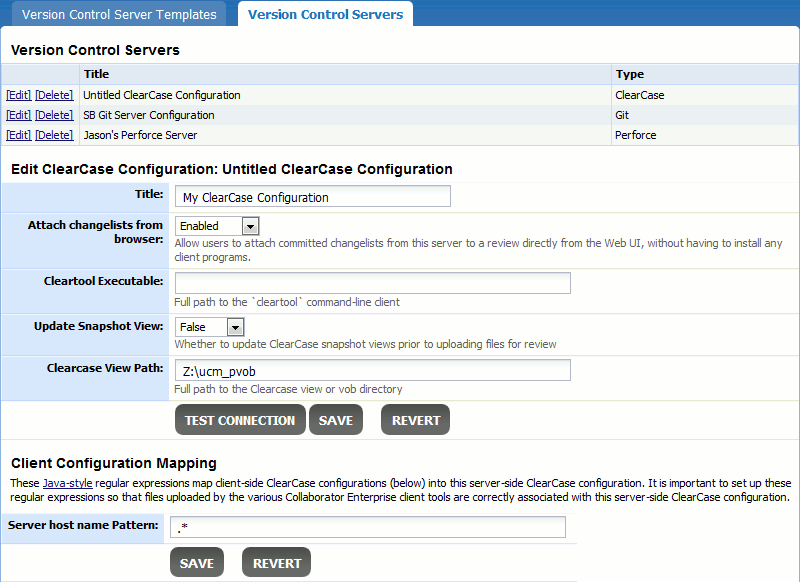
| 3. | Add new ClearCase configuration repository to Collaborator. To do this, switch to Version Control Servers tab, in the SCM System drop-down list select "ClearCase" and click Create. The following edit form will appear. Enter your repository details there:
 |
|