The Collaborator plug-in for Microsoft Word, PowerPoint or Excel makes it easy to create or update reviews with just a few clicks. When using the plug-in, there is no need to save the file and upload it manually to Collaborator - you can upload documents directly from Word, PowerPoint or Excel.
Get Started
| 2. | Launch Microsoft Word, PowerPoint or Excel. |
| 3. | Specify Collaborator server and user credentials in plug-in options. |
How the Integration Works
The plug-in adds a number of panels, menus and settings to the Microsoft Office applications.
| • | The SmartBear > Upload to review menu item allows uploading current document to new or existing Collaborator review.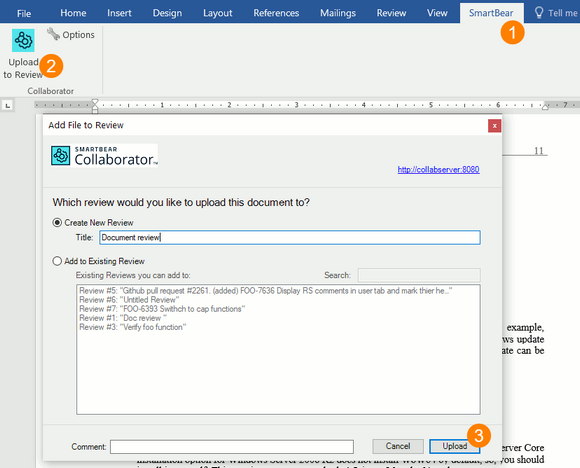 Uploading document to review |
| • | The SmartBear > Options menu item allows re-configuring connection settings. |
| • | The Collaborator Action Items pane displays information about incoming and outgoing reviews and allows opening them in Web Client.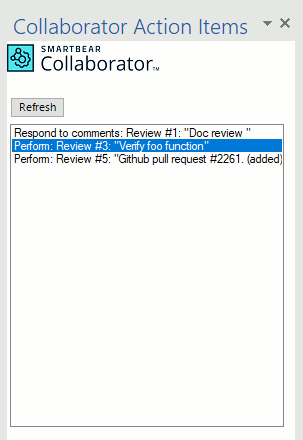 Collaborator Action Items |
Requirements
| • | Microsoft Office 2019, 2017 or 2015. |