The Collaborator Eclipse Plug-in integrates with the CVS Eclipse Plug-in from http://eclipse.org. (The CVS plug-in usually comes bundled with the base Eclipse install.)
Adding CVS files to a Review
Files managed by CVS can be uploaded to the Collaborator Server by Adding Files to a Review.
Adding CVS files to a Review from the Synchronize View
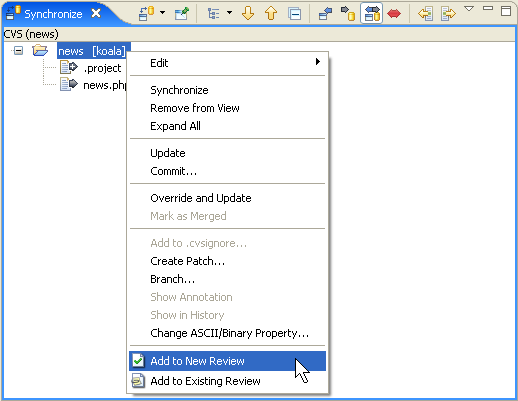
Files managed by CVS can also be added to a review from the Synchronize view. Right-click on any projects, folders, or files in the Synchronize view and select either Add to New Review or Add to Existing Review.
The Add to Review Wizard will launch with the selected files.